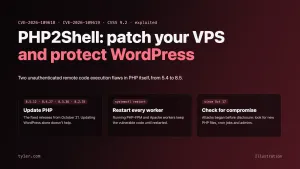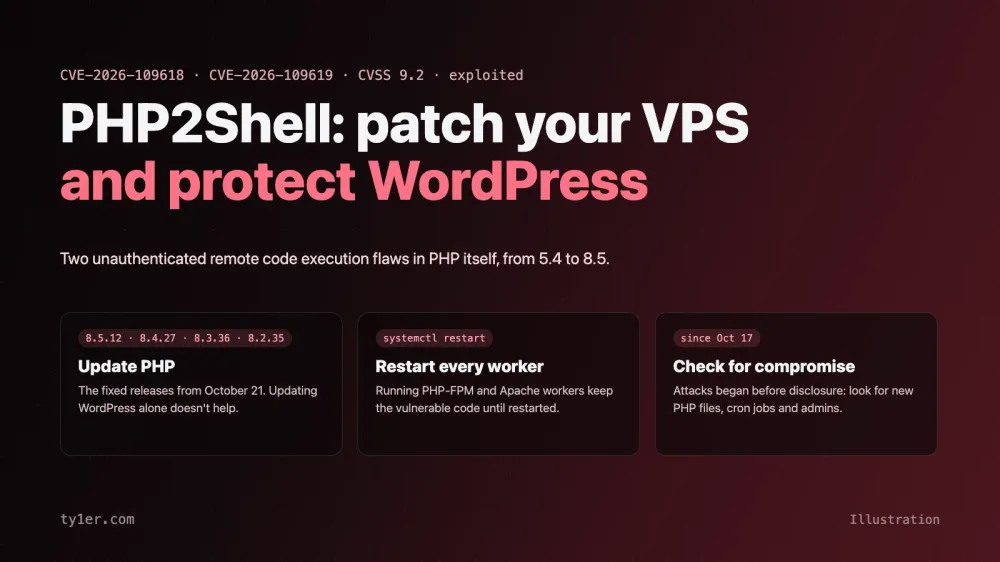
On October 21, 2026, the PHP project shipped emergency releases for two critical flaws that let an attacker run code on a server without logging in. Together they've been nicknamed PHP2Shell: CVE-2026-109618 and CVE-2026-109619, each rated 9.2 on CVSS v4.0. They're in PHP itself, not in an app or plugin, so every PHP-powered site is in scope, including WordPress, Drupal, Joomla and custom code. Exploitation attempts were seen before the patch was even public.
This guide covers what PHP2Shell is, how to patch a VPS properly (the restart step is the one people miss), what to do if you can't patch today, how to check whether you were hit, and the extra steps for WordPress. Everything was checked against PHP's own security announcement and advisories, Ubuntu's security tracker and the security vendors that analyzed the flaws, as of October 23, 2026. We also ran every check on this site's own server; the results are at the end.
At a glance
- What: two unauthenticated remote code execution flaws in the PHP runtime. One of them can also leak worker memory, which can include passwords, tokens and API keys.
- Affected: PHP from 5.4 through 8.5, in any setup that serves web requests: PHP-FPM, Apache with mod_php, php-cgi, FrankenPHP and LiteSpeed. PHP rates the risk highest for mod_php, where a demonstrated exploit fires before any of your application code runs.
- Fixed in: PHP 8.5.12, 8.4.27, 8.3.36 and 8.2.35, or your Linux distribution's patched package.
- Exploitation: Amazon's threat intelligence saw an attempt against its honeypots on October 17, four days before disclosure, and reported broader exploitation on October 21. Cloudflare and watchTowr also reported attack traffic.
- Bottom line: update PHP, restart every PHP process, then check for signs of compromise going back to October 17.
What PHP2Shell is, in plain terms
Both bugs are about PHP's own memory bookkeeping between and during requests:
- CVE-2026-109618 (out-of-memory corruption): if PHP runs out of memory while it's still setting up a request, its cleanup code can treat half-built internal data as valid. An attacker who can push a request into that state can corrupt memory and run code.
- CVE-2026-109619 (stale global state): a use-after-free. State from one request can outlive the memory behind it, and the next request handled by the same worker may use it. PHP's advisory confirms both code execution and memory disclosure.
Because the problem is in the runtime, updating WordPress or your plugins does not fix it. You need a patched PHP binary, and running PHP processes need to be restarted to load it.
A note on dates: the CVE IDs leaked online on October 20, ahead of the coordinated release, with an incorrect CVSS score of 10.0. PHP's official rating is 9.2.
Fixed versions
| PHP branch | Fixed in | Notes |
|---|---|---|
| 8.5 | 8.5.12 | Also set fatal_error_backtraces=0 if you can't update yet |
| 8.4 | 8.4.27 | |
| 8.3 | 8.3.36 | Ubuntu 24.04's php8.3 is fixed in 8.3.6-0ubuntu0.24.04.13 |
| 8.2 | 8.2.35 | End of life on December 31, 2026; plan your move |
| 7.4, 8.0, 8.1 | No official release | Source-only backports from the PHP team; use a distribution or LTS vendor package, or upgrade |
| 5.4 to 7.3 | No fix | End of life: upgrade, or take the site offline |
Distribution packages often keep the old version number and add a patch suffix, like Ubuntu's 8.3.6-0ubuntu0.24.04.13. Check your distribution's security tracker for the exact package version rather than comparing against PHP's numbers.
How to patch a VPS
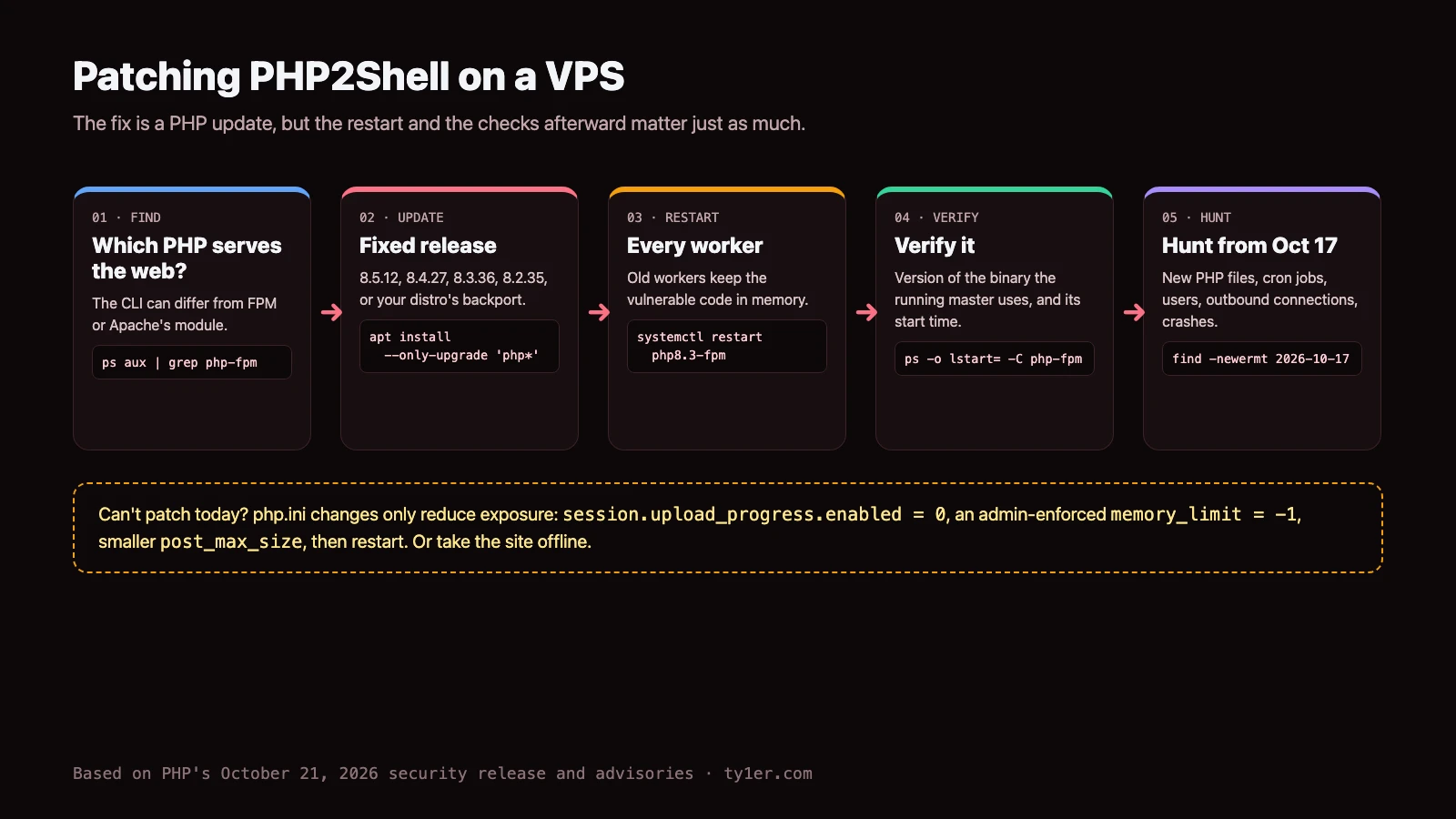
1. Find the PHP that actually serves your sites
The php -v you type in a shell is the command-line PHP, and it can be a different install from the one serving web traffic. Look at what's actually running:
# PHP-FPM masters, Apache, LiteSpeed or FrankenPHP, with start times
ps -eo pid,lstart,args | grep -E 'php-fpm: master|apache2|httpd|lsphp|frankenphp' | grep -v grep

# Is Apache loading mod_php? (highest-risk setup)
apache2ctl -M 2>/dev/null | grep -i php

# Version of a specific FPM binary (Debian/Ubuntu naming)
php-fpm8.3 -v
The FPM master line shows its config path, which tells you which install it belongs to. Control panels often keep their own builds: aaPanel, for example, runs PHP from /www/server/php/<version>/, separate from the system packages.
2. Update PHP
Ubuntu and Debian:
sudo apt update
apt-cache policy php8.3-fpm php8.3-cli     # compare "Installed" with your distro's fixed version
sudo apt install --only-upgrade 'php8.3*'  # repeat for each PHP version you run
If you install PHP from a third-party repository, such as the popular Ondřej Surý packages, make sure that repository has published a fixed build and that it's the one installed.
RHEL, AlmaLinux, Rocky and Fedora:
sudo dnf upgrade 'php*'
rpm -q php-fpm php-cli    # confirm against your vendor's advisory
Control panels (aaPanel, cPanel, Plesk and others): update each PHP version through the panel, then confirm the version from the binary itself, for example /www/server/php/84/bin/php -v on aaPanel.
Docker: rebuild your images from an updated official PHP base image and redeploy; a running container keeps its old PHP. Confirm with docker run --rm your-image php -v.
PHP 8.1 or older: there's no official release. Upgrade to a supported branch, use a vendor that backports fixes, or build from the PHP team's backport branches. Until then, treat the site as exposed.
3. Restart every PHP process
This is the step that's easy to skip. As Qualys puts it, "running processes keep the vulnerable code in memory until they restart." Restart the FPM service for every version, and Apache if it uses mod_php:
sudo systemctl restart php8.3-fpm     # each version you run: php8.2-fpm, php8.4-fpm, ...
sudo systemctl restart apache2       # if Apache uses mod_php (httpd on RHEL-family)
sudo systemctl restart lsws          # LiteSpeed
4. Verify the running version
Check that each running master started after the update, and that its binary reports a fixed version:
ps -eo pid,lstart,args | grep 'php-fpm: master' | grep -v grep
ls -l --time-style=full-iso /usr/sbin/php-fpm8.3     # binary install time
grep ' php8.3' /var/log/dpkg.log | tail -5            # when the package changed
If a master process is older than the new binary, it's still running the vulnerable code.
If you can't patch today
PHP is blunt about this: "only an update is a complete solution". These settings reduce exposure but "do not make an installation safe". Set them administratively (in php.ini, the FPM pool or server config, not with ini_set() or .user.ini), then restart every worker:
; php.ini, or as php_admin_value[...] in each FPM pool
session.upload_progress.enabled = 0   ; blocks the confirmed path for CVE-2026-109619
memory_limit = -1                     ; CVE-2026-109618; enforce so apps can't override
post_max_size = 8M                    ; 32M if you need uploads
upload_max_filesize = 6M              ; keep below post_max_size
fatal_error_backtraces = 0            ; PHP 8.5 only
memory_limit = -1is risky on its own, because one runaway request can then eat all your RAM. Pair it with a container or cgroup memory limit, such asMemoryMax=in a systemd override (sudo systemctl edit php8.3-fpm). PHP warns not to useRLIMIT_ASorRLIMIT_DATA, which can trigger the vulnerable path. Put a finite limit back once you've patched.- Limit request sizes at the web server (body size, field count, multipart parts, headers), and block multipart uploads on apps that don't need them.
- Put a WAF in front. Cloudflare deployed rules for known exploit vectors on all plans, including free, but calls them "a STOPGAP only".
- For PHP 8.1 or older, CISA's advice is blunt: if you can't update, take PHP-based systems offline.
Check whether you were compromised
Attempts were seen from October 17, so if your server was unpatched and online since then, look back to that date. Before changing anything, save your web server and PHP logs and copy any suspicious files. Then work through these checks. Each one surfaces leads, not proof:
# PHP files created or changed since Oct 17 (adjust the web root)
sudo find /var/www -name '*.php' -newermt '2026-10-17' -ls

# PHP files where they don't belong
sudo find /var/www \( -path '*/uploads/*' -o -path '*/images/*' \) -name '*.php'

# Common webshell patterns (legitimate code can match too)
sudo grep -rlE 'eval\(base64_decode|gzinflate\(base64_decode|assert\(\$_(POST|GET|REQUEST)' \
  /var/www --include='*.php'

# Cron jobs for every user, and system cron folders
for u in $(cut -d: -f1 /etc/passwd); do sudo crontab -l -u "$u" 2>/dev/null | sed "s/^/$u: /"; done
ls -la /etc/cron.d /etc/cron.daily

# Accounts with a login shell, and recent logins
awk -F: '$7 !~ /(nologin|false|sync)$/ {print $1, $3, $7}' /etc/passwd
last -n 20

# Outbound connections from PHP, and worker crashes or memory errors
sudo ss -tnp | grep -i php
sudo grep -hE 'SIGSEGV|exited on signal|Allowed memory size' /var/log/php*-fpm.log
Expect some noise. Many frameworks write compiled templates as .php files in cache folders, which is normal. Compare suspicious files against a clean copy or your deployment before assuming the worst.
If you find something: take the site offline or isolate the server, preserve evidence, then rotate every secret PHP could see: database passwords, API keys, mail credentials and application salts. Rebuild or restore from a backup made before October 17, patch, and only then bring it back. Even with no sign of compromise, if a site was exposed and unpatched for days, rotating its most sensitive keys is a sensible precaution, because one of the flaws can leak worker memory.
Extra steps for WordPress
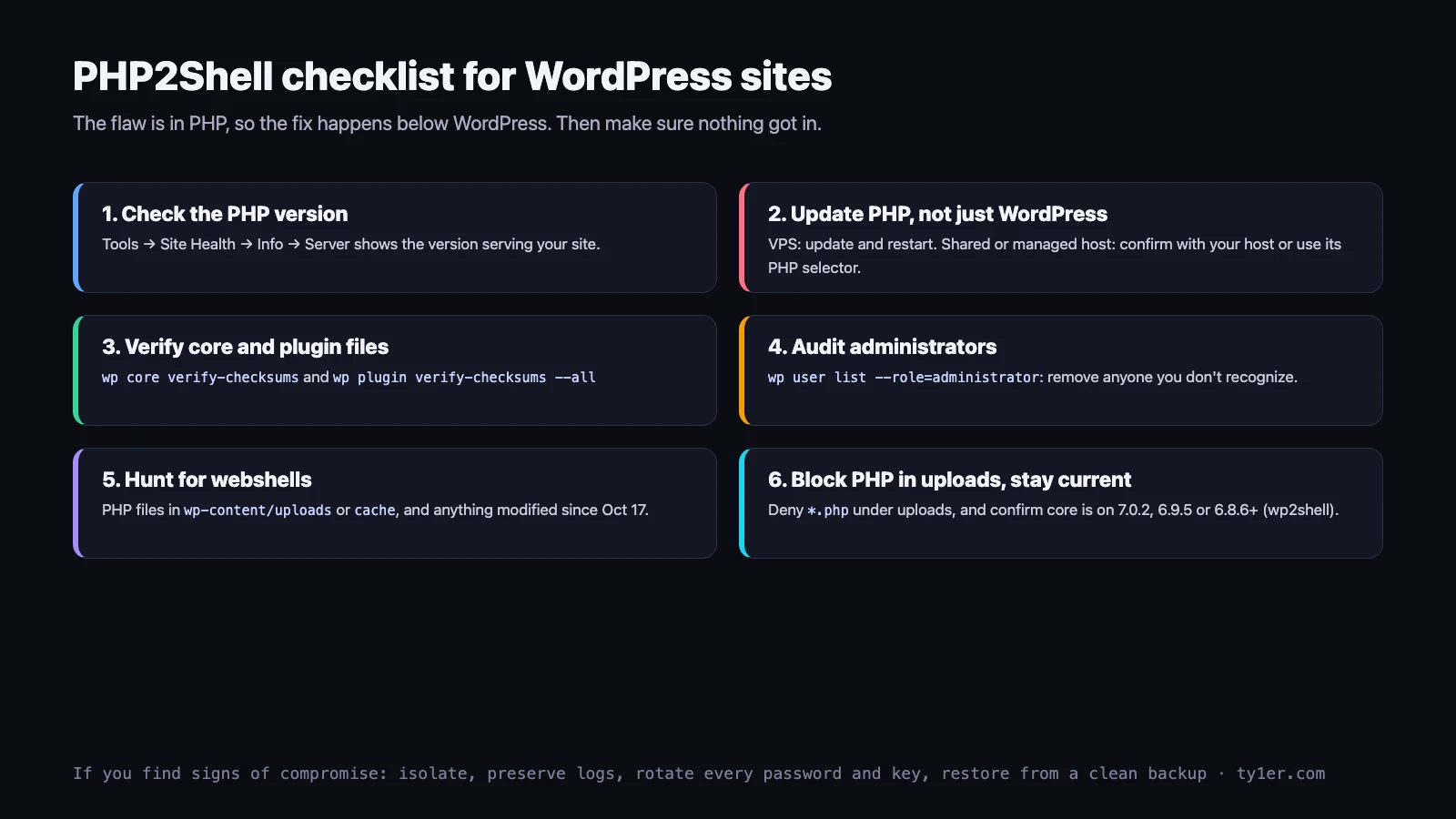
1. Check which PHP your site runs
In the WordPress dashboard, go to Tools → Site Health → Info → Server. The PHP version listed there is the one actually serving your site, which is more reliable than the server's command-line PHP.
2. Update PHP the right way for your hosting
- VPS or dedicated server: follow the steps above, including the restart.
- Shared or managed WordPress hosting: you usually can't patch PHP yourself. Check your host's status page or ask support whether your PHP version has been patched and restarted. If your control panel has a PHP version selector and you're on an end-of-life version, this is the moment to move to 8.3 or 8.4. Test on a staging copy first, since old plugins can break on newer PHP.
3. Verify WordPress files and accounts
With WP-CLI, run these from the site's folder:
wp core verify-checksums                       # core files match WordPress.org
wp plugin verify-checksums --all               # plugins from WordPress.org only
wp user list --role=administrator --fields=ID,user_login,user_email,user_registered
wp cron event list                             # unexpected scheduled events?
ls -la wp-content/mu-plugins                   # must-use plugins load silently; check them
find wp-content/uploads -name '*.php'          # should normally return nothing
Premium plugins and themes can't be checksum-verified this way, so compare them against a fresh download from the vendor. Remove any administrator you don't recognize, and if anything looks wrong, also run wp config shuffle-salts to log everyone out and invalidate stolen session cookies.
4. Stop PHP from running in uploads
Webshells are often dropped into the uploads folder. WordPress never needs to execute PHP there, so block it at the web server.
Nginx (inside your site's server block, above the PHP location):
location ~* ^/wp-content/uploads/.*\.php$ {
    deny all;
}
Apache (a .htaccess file inside wp-content/uploads/):
<Files "*.php">
    Require all denied
</Files>
5. Don't confuse it with wp2shell
PHP2Shell is easy to mix up with wp2shell, a separate pair of WordPress core flaws (CVE-2026-63030 and CVE-2026-60137) exploited in July 2026 to install webshells and rogue admin accounts. That one is fixed in WordPress 7.0.2, 6.9.5 and 6.8.6. A WordPress site needs both fixes: patched PHP for PHP2Shell, and current WordPress core for wp2shell. Check Dashboard → Updates or run wp core version.
What we found on our own VPS
This site runs on an Ubuntu 24.04 VPS managed with aaPanel, with PHP-FPM handling a couple of small PHP services next to Ghost. We ran the checks above on October 23:
- Serving PHP: aaPanel's PHP 8.4.27, the fixed release, built on October 22.
- Restart: the PHP-FPM master started at 07:28 on October 22, one minute after the new binary was installed, so no old workers were left running.
- Command-line PHP: Ubuntu's
php8.3package8.3.6-0ubuntu0.24.04.13, which Ubuntu lists as fixed. It doesn't serve web traffic here, but it's patched anyway. - Compromise checks: no PHP files created or changed in any web root since October 17; no new cron jobs; no outbound connections from PHP; no FPM crashes or memory errors in the logs. The only PHP files in cache folders were another app's compiled templates, the expected kind of false positive.
The takeaway: a control panel can patch PHP for you quickly, but don't assume. Two commands, one for the version and one for the master start time, tell you whether you're actually safe.
Quick checklist
- Find every PHP install that serves web traffic, including panel builds and containers.
- Update each to 8.5.12, 8.4.27, 8.3.36, 8.2.35 or your distribution's fixed package.
- Restart every PHP-FPM pool, Apache with mod_php, and LiteSpeed.
- Confirm the running masters started after the update.
- If you can't patch yet: the php.ini stopgaps, request limits, a WAF, or take it offline.
- Hunt back to October 17 for new PHP files, cron jobs, accounts and odd connections.
- For WordPress: checksums, admin audit, no PHP in uploads, and core on 7.0.2, 6.9.5 or 6.8.6+.
- Plan off PHP 8.2 before December 31, 2026, and off anything older now.
Sources
- PHP.net security announcement and the advisories GHSA-w8hw-w9fx-j79w and GHSA-6wmf-4rv5-p3rp
- Ubuntu security tracker: CVE-2026-109618
- Tenable FAQ, Qualys and watchTowr
- BleepingComputer on wp2shell
Running a Linux server? Our Linux cheatsheet covers the commands used here.