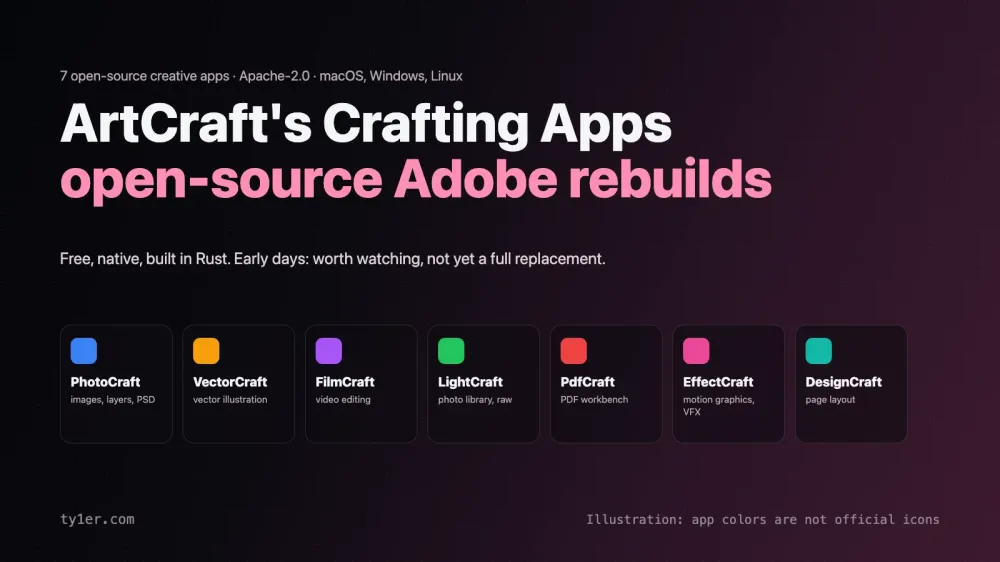
Adobe's apps are the industry standard, and so is the subscription that comes with them. ArtCraft is building a free, open-source alternative to much of that lineup. Its seven Crafting Apps cover photo editing, vector illustration, video editing, raw photo development, PDFs, motion graphics, and page layout. Each is written from scratch in Rust and released under the permissive Apache-2.0 license.
This is a look at what each app does today, what makes the project different, and an honest answer to the question you're probably asking: can they replace Adobe yet? Short version: not for paid client work today, but they're well worth watching and trying. Every app is still labeled early alpha or in development. Details below were checked against ArtCraft's site and the projects' GitHub repositories in October 2026.
At a glance
- Price: free, with source code on GitHub.
- License: Apache-2.0, a permissive license that allows commercial use.
- Platforms: native apps for macOS (Apple silicon and Intel), Windows, and Linux. Six of the seven also compile to WebAssembly and run in a browser tab; FilmCraft is desktop-only.
- Built with: pure Rust. In ArtCraft's words, “No Electron, no web views.”
- Your files stay local: “Everything runs locally on your own files.”
- Scriptable: every app can be driven from a command line, a JSON control channel, or an MCP server, so AI agents can operate them too.
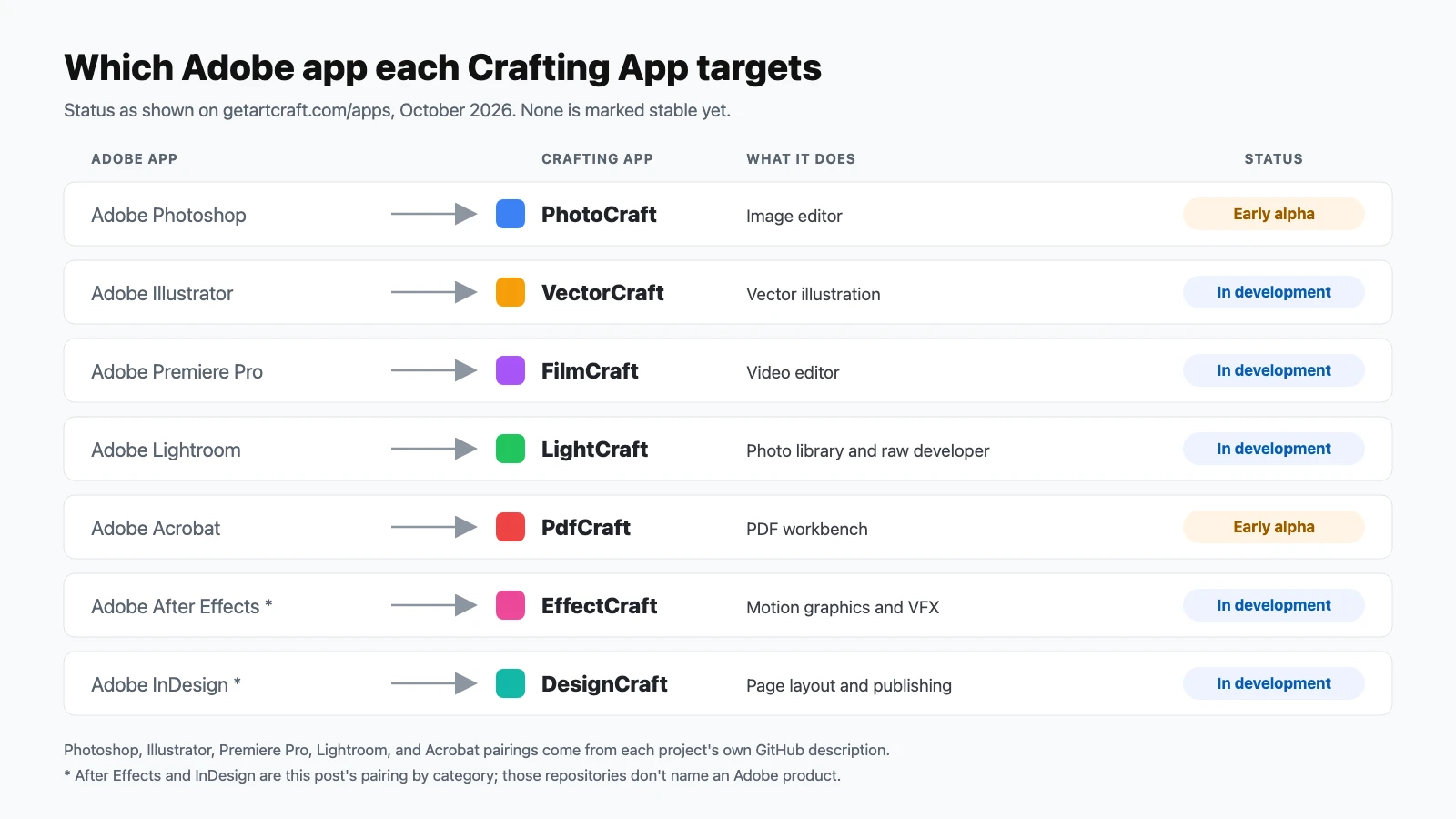
- Status: PhotoCraft and PdfCraft are in early alpha; the other five are in development.
PhotoCraft: the Photoshop alternative
ArtCraft calls PhotoCraft “the open-source image editor you already know how to use”, and its repository describes it as a clean-room reimplementation of Photoshop. It already covers the core of a layered editor: layers, masks, adjustment layers such as Levels, Curves, Vibrance, and Hue/Saturation, layer styles, type, vectors, and brushes. The canvas renders on the GPU through Metal, Vulkan, DirectX 12, or WebGPU.
The standout is real PSD support. PhotoCraft opens, edits, and saves layered Photoshop files, and the project reports that re-saving keeps the render of 307 of the 309 files in the psd-tools test suite. That matters because files you can't round-trip are what usually trap people in Photoshop. It's also the most popular of the apps by far, with about 42,800 GitHub stars at the time of writing. Status: early alpha.
VectorCraft: the Illustrator alternative
VectorCraft aims at Illustrator users with the tools they rely on: Pathfinder, Smart Guides, the Appearance and Swatches panels, Layers, multiple artboards, Gradient Mesh, Envelope Distort, live blends, a perspective grid, and live radial repeats. It imports and exports PDF-compatible .ai files, exports PNG, JPEG, WebP, and SVGZ, and includes an Export for Screens workflow. Its README promises exact curve booleans, so there's no “cannot perform operation” error when combining shapes. Status: in development.
FilmCraft: the Premiere Pro alternative
FilmCraft is a non-linear editor “for people who know Premiere”: source and program monitors, bins, a multi-track timeline, three-point editing, every trim mode, J/K/L shuttle, and Editing, Assembly, Color, Effects, and Audio workspaces. It has about 55 video effects and 30 transitions, keyframes with value and velocity graphs, and live loudness meters.
Two engineering choices stand out. Its H.264, HEVC, ProRes, and AAC codecs are written in Rust from the public specifications rather than borrowed from an existing library. And frame math runs on integer time, so 23.976 fps and 29.97 drop-frame timelines stay exact with no drift. A shortcut editor includes presets for Premiere Pro, Final Cut Pro, and Avid layouts, so switching doesn't mean relearning your hands. It's the one app without a browser version. Status: in development.
LightCraft: the Lightroom alternative
LightCraft is “an open-source photo library and raw developer that runs on your machine”: a cataloging grid with sorting and ratings, raw development with white balance in Kelvin, tone and color controls, and masking with linear and radial gradients. Like the others, it has a scriptable CLI and agent tools, so a script or an AI agent can import a shoot, develop it, mask a sky, and export it. Status: in development.
PdfCraft: the Acrobat alternative
PdfCraft is “the open-source PDF workbench: read, organize, combine, split and secure.” It handles comments as threaded conversations, form fields, optional-content layers, attachments, bookmarks, page labels, and password protection, with undo that survives a save. It promises “no account, no telemetry, no cloud” and works offline, which is a real difference from cloud-connected PDF tools. Status: early alpha.
EffectCraft and DesignCraft
EffectCraft is “open-source motion graphics and visual effects, built in pure Rust”, the category After Effects covers. DesignCraft is “open-source page layout and publishing, rebuilt in pure Rust”, InDesign's territory. Neither repository names an Adobe product, so treat these pairings as this post's, by category. Both are in development and earlier in their life than the others, so check their repositories for current progress.
What sets them apart
- Familiar by design. Instead of inventing new interfaces, the apps deliberately mirror the panels, tools, and shortcuts professionals already know. That lowers the cost of trying them more than any feature list could.
- Native, not wrapped. No Electron and no web views. Each app is a native program with its own GPU renderer rather than a website packaged as a desktop app.
- Built for automation and AI agents. Every app exposes the same actions through a CLI, a JSON control channel, and an MCP server. You could ask an AI agent to batch-export artboards, develop a folder of raw photos, or split a PDF, using the same engine the app uses.
- Truly open. Apache-2.0 means you can read, modify, and even ship the code commercially. The repositories are very active, with commits landing daily as of this writing.
Should you switch from Adobe?
Not yet for work that pays the bills. Alpha software can crash, lose work, or open a client's file slightly differently than the original, and these projects say plainly that they're early. The fair comparison today isn't “Crafting Apps versus Creative Cloud”. It's whether they're worth trying alongside it. They are, and here's where they fit right now:
- Try them now for personal projects, learning, and quick jobs, especially PDF tasks and simple layered edits, where the stakes are low.
- Keep a backup of anything important before opening it in an alpha app, particularly PSD and
.aifiles. - Watch them if you're a Linux user, since most of Adobe's lineup doesn't run there natively, or if you want automation and local-only workflows that Adobe's tools don't offer.
- Stay on Adobe for client deliverables, team workflows built around Creative Cloud libraries and sharing, and anything that depends on plugins or Adobe-specific integrations.
How to install them
The simplest route is the ArtCraft Launcher (version 0.2.0 at the time of writing), which “installs every app below and keeps them all up to date.” Get it from the craft-launcher releases on GitHub or the ArtCraft download page. Each app's page on the site also offers standalone installers, including Apple silicon and Intel builds for macOS and 64-bit and 32-bit installers for Windows.
I haven't installed and tested these builds for this post. The descriptions above come from ArtCraft's site and the projects' own documentation. As with any alpha software, download only from the official GitHub releases or ArtCraft's site.
Beyond Adobe
The same team's GitHub organization has more Crafting Apps in the works that aren't on the main apps page yet: WordCraft (Microsoft Word), GridCraft (Excel-style spreadsheets), DeckCraft (presentations, PowerPoint-style), SoundCraft (Avid Pro Tools), and CADCraft (AutoCAD-style drafting). If the approach works, this could grow into a full open-source alternative to several commercial suites, not just Adobe's.
Links
- getartcraft.com/apps: the official overview of all seven apps.
- github.com/storytold: source code, READMEs with real screenshots, and roadmaps for every app.
- ArtCraft Launcher releases: the recommended way to install and update everything.
Comparing creative tools? Our Photoshop, Illustrator, and GIMP cheatsheets cover the tools you might be switching from.