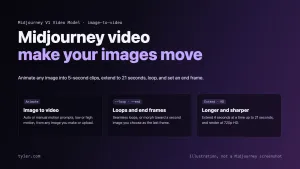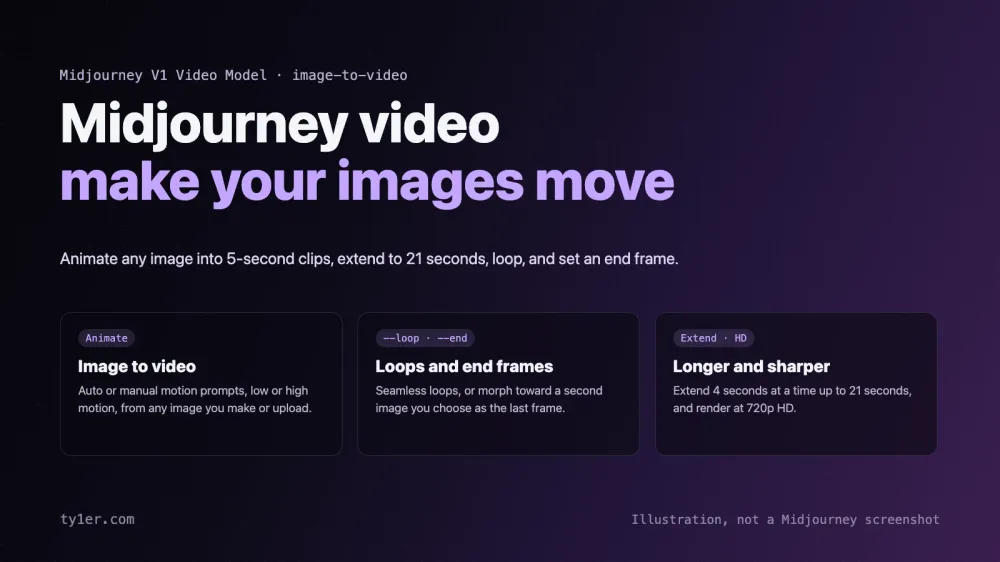
Midjourney started as an image generator, but since June 2025 it can also make your images move. Its V1 Video Model turns any image, whether you made it in Midjourney or uploaded it, into short animated clips. You can extend them up to 21 seconds, make seamless loops, morph toward a chosen last frame, and render in 720p HD.
This guide covers every Midjourney video feature, how to use each one on the web and in Discord, what it costs, and how artists can use it in real work. Details come from Midjourney's Video documentation and official announcements, checked on October 11, 2026. For the latest image features, see Midjourney's 2026 updates for artists.
At a glance
- Model: V1 Video Model, released June 18, 2025. It's still the current video model; Midjourney hasn't announced a newer one on its updates page as of this writing.
- Workflow: image-to-video. Every video starts from an image.
- Length: 5 seconds per clip, extendable 4 seconds at a time, up to 21 seconds.
- Resolution: 480p (SD) on every plan; 720p (HD) on Standard, Pro, and Mega plans, in Fast mode only.
- Batch: 4 videos per prompt by default, or 1 or 2 with
--bs. - Parameters:
--motion lowor--motion high,--raw,--loop,--end,--bs, and--videoin Discord.
Animating an image
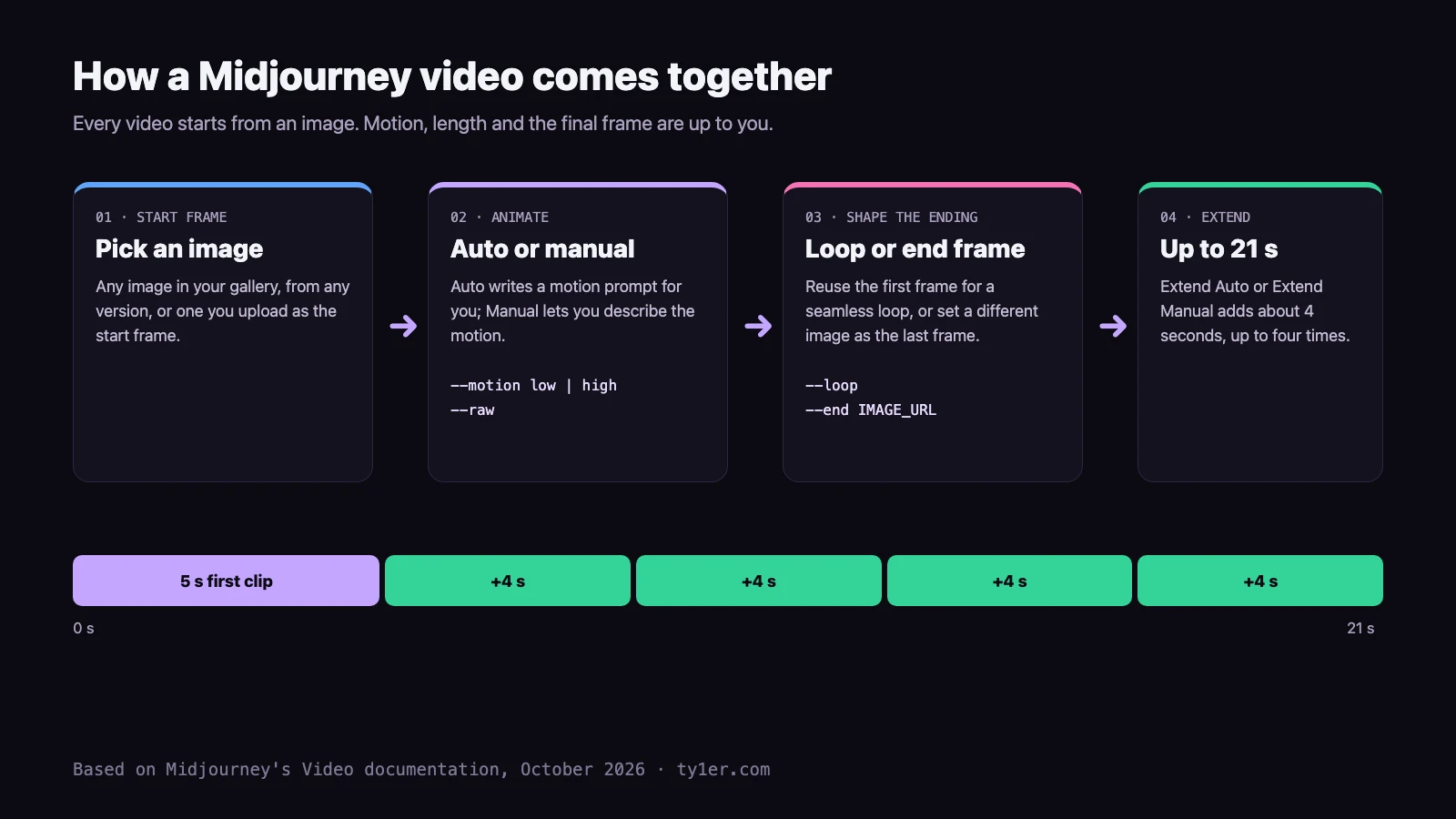
Midjourney calls its approach “Image-to-Video”: you make or choose an image as usual, then press Animate. Every image in your gallery has Animate buttons, whatever version made it. There are two ways to animate:
- Auto makes up a motion prompt for you and “just makes things move”. It's the fastest way to see what an image wants to do.
- Manual puts the image in the prompt bar so you can describe how things should move and how the scene should develop, for example “the camera slowly pushes in as lanterns drift upward”.
Any image parameters from the original job are removed automatically when you animate it, so your --sref or --ar won't carry over by mistake.
Using your own images. On the web, click the image icon in the prompt bar, drag your image into the Starting Frame section (labeled Animate in the image panel), and type a motion prompt. In Discord, put the image URL at the start of your prompt and add --video:
https://example.com/my-painting.png the wind moves through the grass, clouds drift --video --motion lowOnly upload images you have the rights to use. Midjourney's rules for external images also ban manipulating images of real people in abusive or sexualized ways, including deepfakes, and breaking them can get your account suspended or banned without a refund.
Low motion vs. high motion
Every video uses one of two motion settings, set with the buttons or the --motion parameter:
- Low motion (default): better for ambient scenes. The camera stays mostly still and the subject moves slowly or subtly. The downside: sometimes almost nothing moves.
- High motion: for scenes where you want everything moving, both the subject and the camera. The downside: big motion can produce unrealistic or glitchy results.
Add --raw for more precise control. Like Raw mode for images, it reduces Midjourney's extra creative flair so your motion prompt has more influence.
a dancer spins under a spotlight --motion high --rawLoops and end frames
Since July 24, 2025, you can control how a video ends:
- Loop: reuse the start frame as the end frame for a seamless loop. On the web, check “Loop” in the Ending Frame section, or use the Loop buttons on an image. In Discord, add
--loop. - End frame: set a different image as the last frame, and Midjourney animates from one image to the other. On the web, add the image to the Ending Frame section. In Discord, use
--endwith an image URL.
https://example.com/day.png the city turns to night --end https://example.com/night.png --videoFor artists: loops are ideal for animated wallpapers, website hero backgrounds, social posts, and gallery displays. End frames are a simple way to make transitions: a sketch turning into a finished painting, a character turning around, or a scene shifting from day to night.
Extending videos
Clips start at 5 seconds. Once a video is done, Extend Auto adds about 4 more seconds using the original prompt, and Extend Manual lets you change the prompt first, so the story can develop. You can extend up to four times, for a maximum of 21 seconds. Each extension costs the same GPU time as the first generation. In Discord, turn on Remix mode to change the prompt when extending.
HD video and resolution
Videos render at 480p (SD) by default. HD video renders natively at 720p. It launched on August 6, 2025 for Pro and Mega plans, and Standard plans got it a week later. Turn it on under Video Resolution in the settings panel. HD works only in Fast mode.
Midjourney's launch note put HD at about 3.2 times the cost of a normal video and called it a tool for professionals, adding that if you're making videos for fun, HD isn't necessary. The video's shape follows your start image's aspect ratio. For example, a 16:9 image becomes 832×464 in SD or 1280×720 in HD, and a 1:1 image becomes 624×624 or 960×960.
What video costs
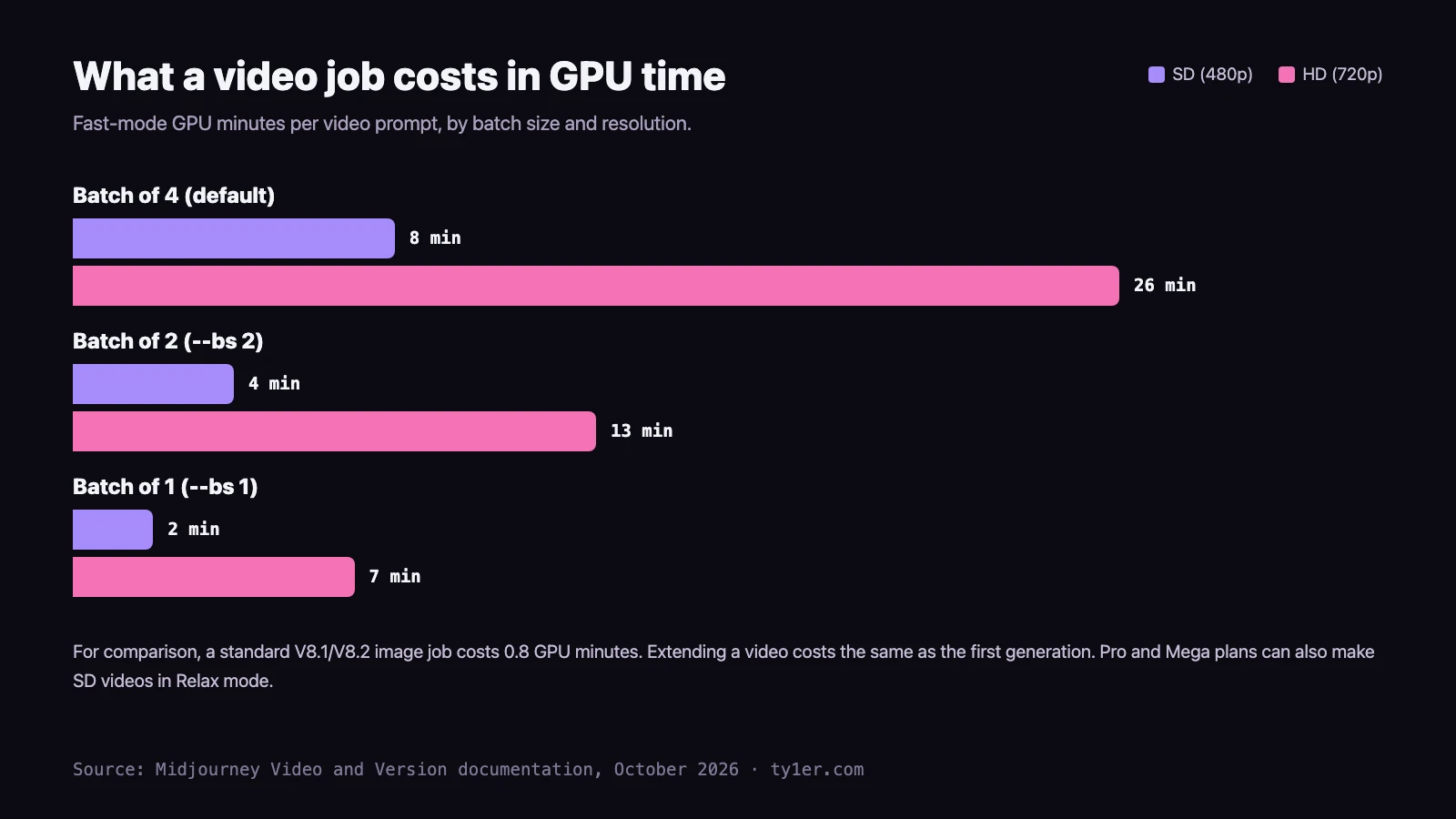
Video uses much more GPU time than images. By default each prompt makes 4 videos; use --bs 1 or --bs 2, or the Video Batch Size setting under More Options, to make fewer and spend less. All plans can make videos in Fast mode. Pro and Mega plans can also make SD videos in Relax mode, which doesn't use Fast time but may involve a wait.
a koi fish circles a moonlit pond --loop --bs 1Tip: explore with --bs 1 in SD, then render your favorite idea as a batch of 4, or in HD, once you know it works.
Playing and downloading
- Preview: hover over a video on the Create page to play it. Hold Control or Command and move the mouse to scrub through it frame by frame.
- Download for Social: an MP4 from a special encoder that reduces the extra compression social sites add. Use this for Instagram, TikTok, X, and similar sites.
- Download Raw Video: the original MP4 from Midjourney, best for editing.
- Download GIF: an animated GIF, handy for slides, docs, and chat.
Downloads from Discord are always the raw video file.
Video in Discord
Video arrived in Discord on July 24, 2025. After you separate an image from its grid with the U buttons, use Animate (High motion) or Animate (Low motion). With Remix mode on, you can edit the prompt first. For outside images, use an image URL plus --video. If your upscales are older than the video launch and the Animate buttons are missing, the /show command refreshes them.
What works with video, and what doesn't
Video prompts accept only the video-specific parameters: --motion, --raw, --loop, --end, and --bs. Other image reference types, such as Edit model references, style references, and image prompts, can't be used in a video generation. The best way to get a particular style into a video is to make the start image in that style first, then animate it.
Recent improvements
- Video moderation became more accurate in August 2025, with fewer wrongly blocked jobs. Blocked jobs don't cost GPU time.
- Explore and Midjourney TV: the “For You” feed recommends community videos based on your personalization, and the experimental midjourney.tv plays top-rated community videos nonstop, including 2×2, 3×3, and 4×4 grids.
- 2026 web updates fixed start- and end-frame drops in video mode, brought back hover playback in the new Create feed, and added a clear message when Extend or Loop reaches the length limit.
How artists can use Midjourney video
- Bring illustrations to life. Animate a finished piece with low motion for a living painting: drifting clouds, flickering candles, hair in the wind. These work well as social posts and portfolio headers.
- Pitch motion ideas fast. Concept artists and storyboard artists can show camera moves and mood in seconds before anyone animates anything properly.
- Make loops for the web. A short
--loopclip makes a lightweight, eye-catching background for a website or a digital frame. - Show transformations. Use
--endto move from your sketch to your finished painting, or from one season or time of day to another. - Animate your own art. Upload your own drawing as the start frame. You keep your style, and Midjourney adds the movement.
Video works best as a starting point. Many creators bring raw downloads into an editor such as DaVinci Resolve, Premiere Pro, or CapCut to trim, slow down, add sound, and stitch several clips together.
Quick reference
| Parameter | Values | What it does |
|---|---|---|
--video | Toggle (Discord) | Animates the image URL at the start of the prompt. |
--motion | low (default), high | Subtle movement or big camera and subject motion. |
--raw | Toggle | Less creative flair; your motion prompt has more control. |
--loop | Toggle | Ends on the start frame for a seamless loop. |
--end | Image URL | Animates toward a chosen last frame. |
--bs | 1, 2, 4 (default 4) | Videos per prompt; fewer costs less. |
Every image and video parameter is in our Midjourney cheatsheet.
Links
- Midjourney Video documentation: the full guide, including the resolution table.
- Midjourney updates: announcements for each video release.
- Midjourney's 2026 updates for artists: V8.2, the Edit model, Draft mode, and more.