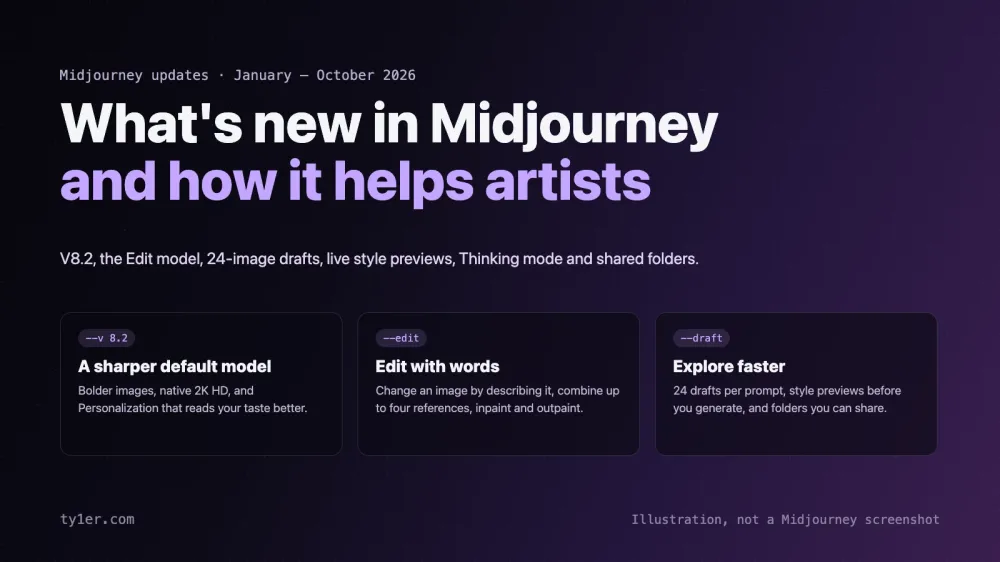
Midjourney has had its busiest year yet. Since January it has shipped a new model family (V8, V8.1, and now V8.2), an Edit model that changes images from plain-language instructions, a 24-image Draft mode, live style previews, and, as of this week, early tests of a “Thinking” mode and shared folders. That's a lot to keep up with, especially if you use Midjourney for real creative work rather than the occasional experiment.
This post breaks down what's new, in plain terms, and what each change means for artists: illustrators, concept artists, designers, and anyone using Midjourney as part of a creative process. Everything here comes from Midjourney's official updates page and documentation, checked on October 11, 2026. If you want the parameters in one place, our Midjourney cheatsheet has been updated with everything below.
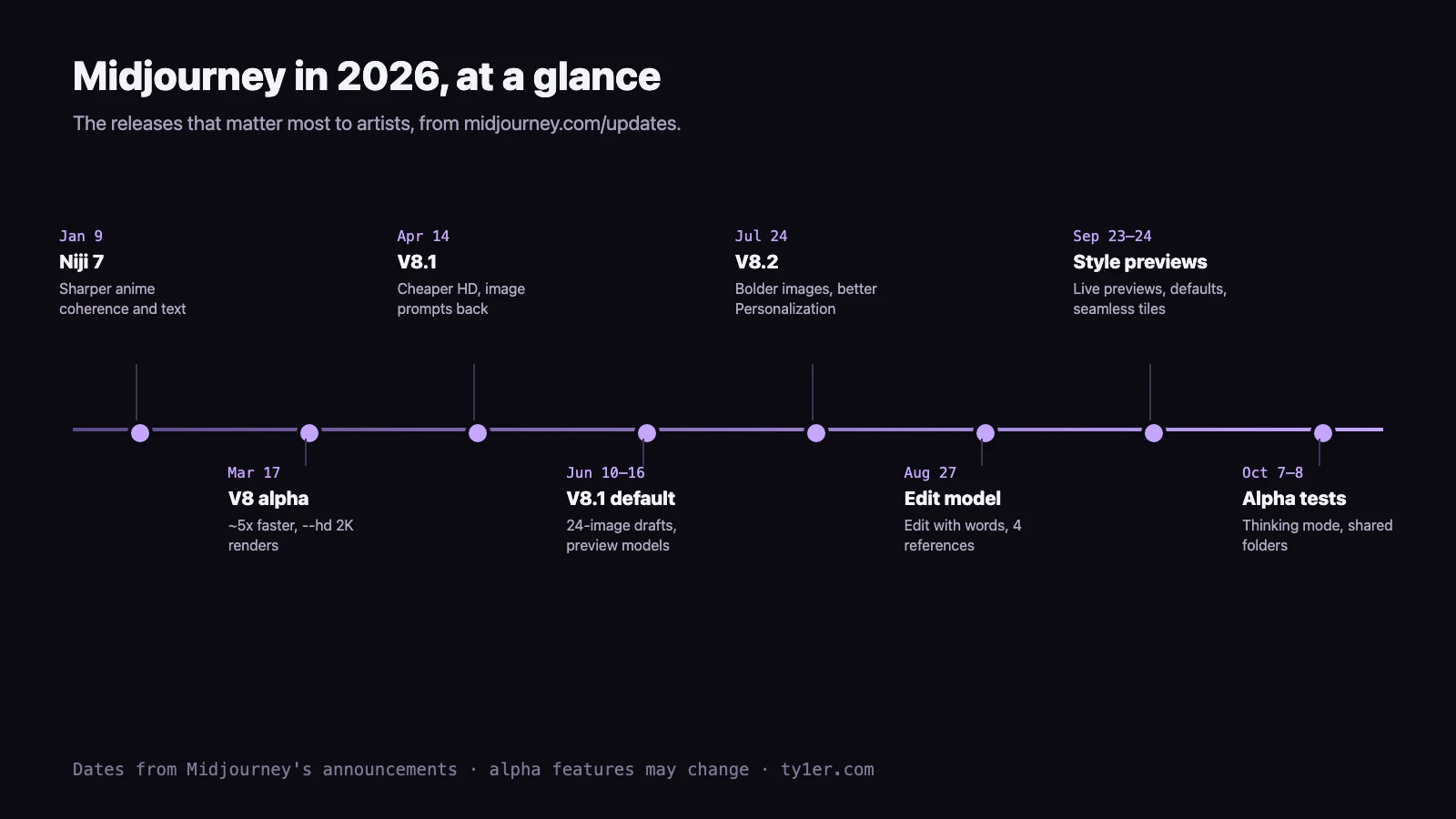
The short version
- V8.2 is the default model (since July 24): bolder, more polished images and Personalization that understands your taste better.
- The Edit model (August 27) lets you change an image by describing the change, combine up to four reference images, and inpaint or outpaint. It replaces Omni Reference, Character Reference, and Retexture for V8.
- Draft mode now makes 24 low-resolution images per prompt, so exploring ideas costs far less.
- Style tools got friendlier: live previews of your prompt across styles, saved default settings, and seamless tiles in V8.
- In alpha testing: Thinking mode, which re-checks an image against your prompt and tries again, and shared folders for working with other people.
V8 to V8.2: the new model family
Midjourney opened V8 to community testing on March 17 as an alpha on alpha.midjourney.com. Midjourney said it followed detailed directions better, rendered text more reliably when you put it in “quotes”, and generated about five times faster. It also introduced --hd, which renders images natively at 2K (2048px) instead of upscaling them afterward.
V8.1 followed on April 14 with an aesthetic closer to V7 and much steadier moodboards and style references. HD became three times faster and cheaper, and image prompts, image weights, and an improved Describe came back. V8.1 became the default model on June 10: standard images appear in about 4 seconds and HD in about 12.
V8.2 became the default on July 24. It's focused on aesthetics and image quality: Midjourney describes the images as “more creative, bold, sophisticated, edgy and fresh”, with far fewer random low-quality results. Personalization also understands your taste much better, especially if you've rated a lot of images.
What it means for artists: faster generation changes how you work. When an image takes seconds, you can treat Midjourney like a sketchbook and iterate in quick passes instead of carefully crafting one prompt. Native 2K output also means fewer upscaling artifacts when you take an image into Photoshop, Procreate, or a print layout.
misty harbor at dawn, gouache illustration --v 8.2 --hdThe Edit model: change images with words
The biggest change for working artists arrived on August 27. The Edit model for V8.1 and V8.2 works three ways:
- Edit with instructions. Attach an image and say what to change: “make this into a pencil sketch”, “let's see this from behind”, “add lanterns to the bridge”.
- Combine up to four references. Put a character, a horse, and a sword from three different images into one composition. This replaces Omni Reference and Character Reference in V8.
- Inpaint and outpaint. Change only a selected area, or extend the canvas. Since September 24, edits change only the pixels you select, so you can make repeated edits without the image degrading.
On the web, drag images into the prompt bar under “Attach to prompt”, or open an image and click Edit. In Discord, add --edit followed by one or more image URLs. The result matches the first image's aspect ratio unless you add --ar. It works with Personalization, Moodboards, style references, and --hd, but not with --tile.
hand drawn pencil sketch of this image --edit https://example.com/my-image.png --sref 2708276657What it means for artists: this is the closest Midjourney has come to an art-direction loop. Instead of re-rolling a whole image because one detail is wrong, you can fix the detail. It also makes character consistency much easier: keep a clean reference sheet of your character and attach it each time. Midjourney's tip for multiple characters is to combine them into a single reference image if their features start mixing. When using style references or moodboards with the Edit model, Midjourney recommends also describing the style in words to help it “activate”. Add --raw when you want the result to follow your instructions closely with less of Midjourney's own flair.
Draft mode and preview models
On June 16, Draft mode came to V8.1. One draft prompt in V8.1 or V8.2 now makes a big batch of 24 images at 512×512 for 0.4 GPU minutes. That's half the cost of a single standard V8.1 job. Click Vary or Remix on any draft to render it at full quality. Turn it on with the ⚡ button or --draft. It's web-only for now.
On June 25, Midjourney added a great companion trick: put --sref random in a draft prompt and each of the 24 images gets a different random style.
lighthouse in a storm --draft --sref randomThe same June update introduced --preview, which runs your prompt on an early version of an upcoming model. Results may be unpolished and aren't guaranteed to stay consistent over time, so use it for curiosity, not for client work.
What it means for artists: thumbnailing is cheap now. A single draft prompt is like a page of 24 thumbnails, and the random-style version is a fast way to break out of your usual look before you commit to a direction.
Finding and controlling your style
A string of September updates made style easier to explore and to keep:
- Live style previews (September 23–24). In the Styles sidebar, turn on “Live previews” to see your current prompt rendered across your liked and featured styles, then click a thumbnail to generate with that style. Previews now also work with profiles and custom styles.
- Default parameters (September 23). Save the settings you always use under Settings → Advanced → Your defaults, or click “Set current pills as default”. Folders can keep their own defaults, including
--exp. - Mixed style references (October 1). Several srefs in one prompt now appear as a single style pill with thumbnails; hover over it to see the codes.
- A friendlier Personalization picker (February 26). At midjourney.com/personalize you build a profile by clicking images you like while scrolling, instead of choosing between two images at a time. V8.2 profiles also draw from a much larger pool of images.
What it means for artists: your style becomes something you can see and save, not a string of codes you keep in a notes app. If you work in a consistent look across a series or a client's brand, set it as the folder default once and stop retyping it.
Thinking mode (alpha)
Announced October 8 and still an early test on alpha.midjourney.com: you can rerun a V8.2 job, standard or edit, “with thinking”. Midjourney looks at the image, finds where it missed your prompt (wrong objects, layout, anatomy, or text), and generates again. Open an image and click Rerun (Thinking) in the lower right. Midjourney says that in its tests this improved prompt accuracy, typography, and coherence, and it's asking for feedback on where it helps and where it doesn't.
What it means for artists: the hardest prompts for image models are specific ones, such as poster lettering, “three cats on the left, a dog on the right”, or hands holding objects. Those are exactly what Thinking mode targets. Because it's an alpha, expect it to change, and don't rely on it for deadlines yet.
Shared folders for collaboration (alpha)
Also new on alpha (October 7): folders can be shared. Invite people by username as Collaborators, who can generate straight into the folder and build on each other's work, or as Viewers, who can only browse. You can also share by link, keeping it private to invited people, open to anyone with the link, or open to any Midjourney member. Images still stay in each creator's own history.
One important warning from Midjourney: sharing doesn't change image privacy. Images that aren't made in Stealth mode can still appear on Explore and on profiles, even if you made them in a private folder. If you're working on unreleased client concepts, use Stealth mode.
What it means for artists: art directors, small studios, and client reviews can happen in one place instead of over screenshots in chat.
Smaller updates worth knowing
- Seamless tiles in V8 (September 24).
--tileused to show seams in V8.1/V8.2; tiles now blend invisibly. Good news for textile, wallpaper, and game-texture work. Avoid upscaling tiles, which can break the seam. - Niji 7 (January 9). The anime-focused model improved coherence, prompt understanding, text, and style references, and it gained Personalization and Moodboards in February.
- More aspect ratios (January 20). The slider added 6:11, 4:5, 5:4, and 21:9. Note that HD images max out at 4:1.
- Korean is now available on midjourney.com (September 23), with more languages in the works.
- Video keeps improving in the background: videos start at 5 seconds and extend to 21 seconds, and the alpha site now tells you when you've hit the length cap.
Putting it together: an artist's workflow
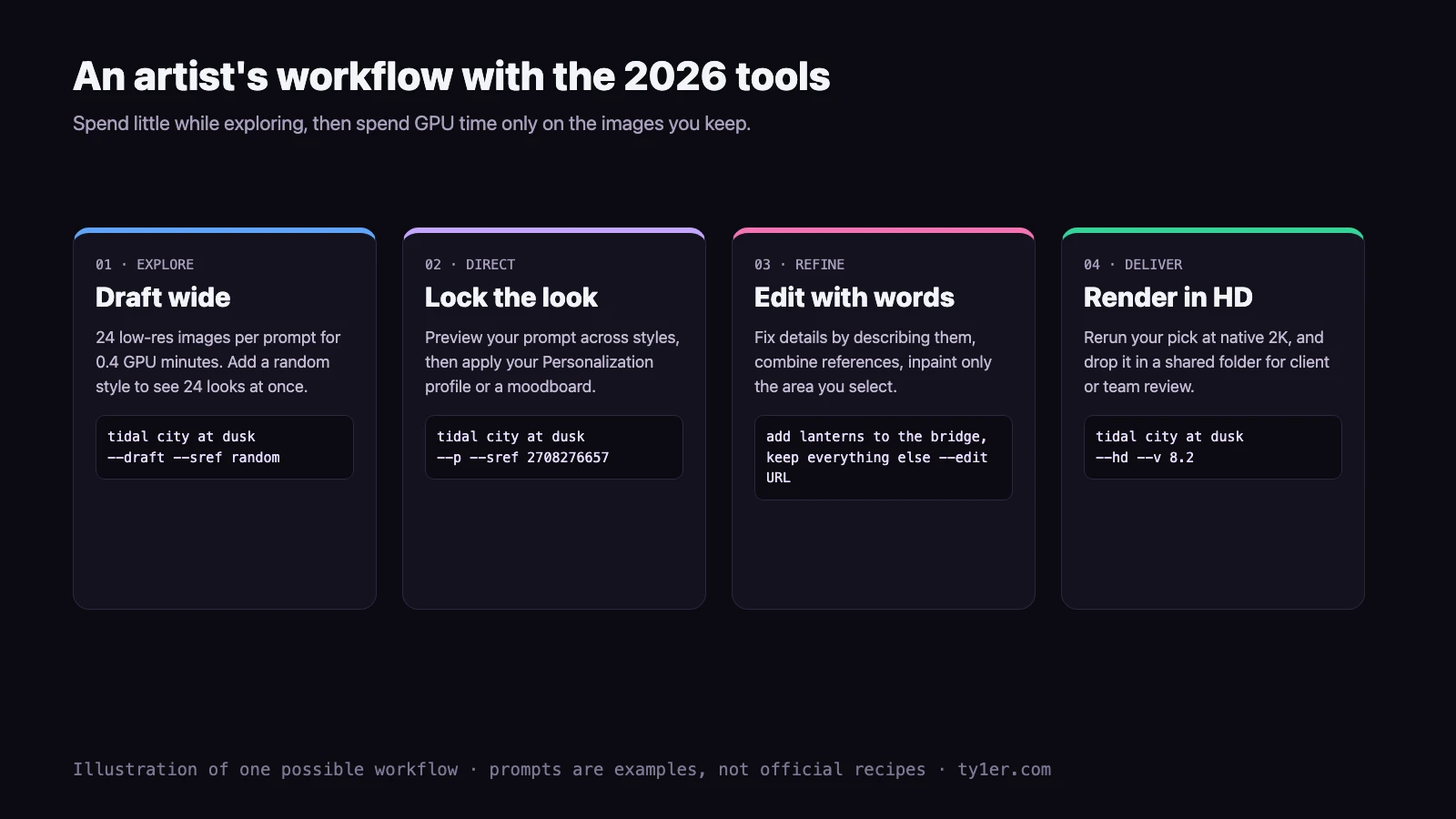
- Explore cheaply. Start with a draft prompt and
--sref randomto see 24 directions for less than one standard job. - Lock in the look. Use live previews to compare styles, then apply your Personalization profile (
--p), a moodboard, or a style code. Save it as a folder default. - Refine with the Edit model. Fix details by describing them, attach your character sheet for consistency, and inpaint only what needs to change. Try Rerun (Thinking) on alpha when text or layout is off.
- Deliver in HD. Rerun your final pick with
--hdfor native 2K, then share it in a folder for feedback.
Midjourney works best as one tool in your process, not the whole process. Many artists use it for reference, thumbnails, mood exploration, and textures, then paint over, composite, or redraw in their usual software. The new Edit model makes that hand-off smoother in both directions, because you can bring your own sketch or photo in as a reference and push it toward a finished look.
Things to watch out for
- Alpha means alpha. Thinking mode and shared folders live on alpha.midjourney.com, where Midjourney ships changes weekly and some things break. Keep important work on the main site.
- Privacy isn't automatic. Only Stealth mode keeps images off Explore and profiles; a private folder doesn't.
- HD costs more. An HD job costs 1.3 GPU minutes versus 0.8 for standard. Pan, Zoom Out, and Vary Region also bring HD images back down to standard resolution, so upscale again afterward.
- Old habits may need updating.
--orefand--crefdon't apply to V8; use the Edit model. Older style codes may also look different now; Midjourney suggests--sv 4for codes made with the old V7 style model. - Respect other people's work. Only upload reference images you have the rights to use, and follow Midjourney's rules on using external images, which ban abusive manipulation of real people's likenesses.
Links
- Midjourney updates: the official announcements and alpha changelogs.
- Edit Model documentation: how to use references, retexturing, and inpainting.
- Version documentation: V8.2, V8.1, HD images, and a feature compatibility chart.
- Midjourney cheatsheet: every parameter, now with a What's New tab covering these updates.